How to Build NodeJS REST API with Express and PostgreSQL
Source: https://medium.com/bb-tutorials-and-thoughts/how-to-build-nodejs-rest-api-with-express-and-postgresql-674d96d5cb8f
A step by step guide with an example project

REST is an acronym for REpresentational State Transfer. Rest follows some guidelines to facilitate the communication between systems. In this post, we will how to build a REST API with NodeJS and PostgreSQL as a database. First, we will see how we start with Express Framework, create a structure and then we will see how to get started with PostgreSQL, create a database and finally configure the NodeJS application to read data from the PostgreSQL.
- Prerequisites
- Example Project
- Project Structure
- Install PostgreSQL on Local Machine
- Install PGAdmin Tool
- Create a Database Table
- Configure PostgreSQL In Express App
- CRUD Operations
- Logging
- Swagger
- Summary
- Conclusion
Prerequisites
There are some prerequisites for this post. You need to have a NodeJS installed on your machine and some other tools that are required to complete this project.
NodeJS: As an asynchronous event-driven JavaScript runtime, Node.js is designed to build scalable network applications.
Express Framework: Express is a minimal and flexible Node.js web application framework that provides a robust set of features for web and mobile applications.
node-postgres: Non-blocking Postgresql Client for NodeJS
PGAdmin: pgAdmin is an Open Source administration and development platform for PostgreSQL
PostgreSQL: Open Source relational Database
VSCode: The editor we are using for the project. It’s open-source and you can download it here.
Swagger: API documentation
Postman: Manual testing your APIs
nodemon: To speed up the development
If you are new to NodeJS and don’t know how to build REST API with it, I would recommend going through the below article. We used the project from this article as a basis for this post.
How to write production-ready Node.js Rest API — Javascript version
Example Project
Here is the Github link for the example project you can just clone and run it on your machine.
// clone the project
git clone https://github.com/bbachi/nodejs-restapi-postgresql.git
Here are the main and controller classes. The server.js file is the main file and starting file of the API and the controller is called from here.
| const express = require('express'); | |
| const bodyParser = require('body-parser'); | |
| require('dotenv').config() | |
| const taskController = require('./controller/task.controller') | |
| const app = express(); | |
| const port = process.env.PORT || 3000; | |
| app.use(bodyParser.json()); | |
| app.get('/api/tasks', (req, res) => { | |
| taskController.getTasks().then(data => res.json(data)); | |
| }); | |
| app.post('/api/task', (req, res) => { | |
| console.log(req.body); | |
| taskController.createTask(req.body.task).then(data => res.json(data)); | |
| }); | |
| app.put('/api/task', (req, res) => { | |
| taskController.updateTask(req.body.task).then(data => res.json(data)); | |
| }); | |
| app.delete('/api/task/:id', (req, res) => { | |
| taskController.deleteTask(req.params.id).then(data => res.json(data)); | |
| }); | |
| app.get('/', (req, res) => { | |
| res.send(`<h1>API Works !!!</h1>`) | |
| }); | |
| app.listen(port, () => { | |
| console.log(`Server listening on the port ${port}`); | |
| }) |
Here is the controller file which has four methods.

We are using nodemon for the development phase that speeds up your development. You just need to run this command after installing all dependencies.
// install dependencies
npm install// start the server in development phase
npm run dev
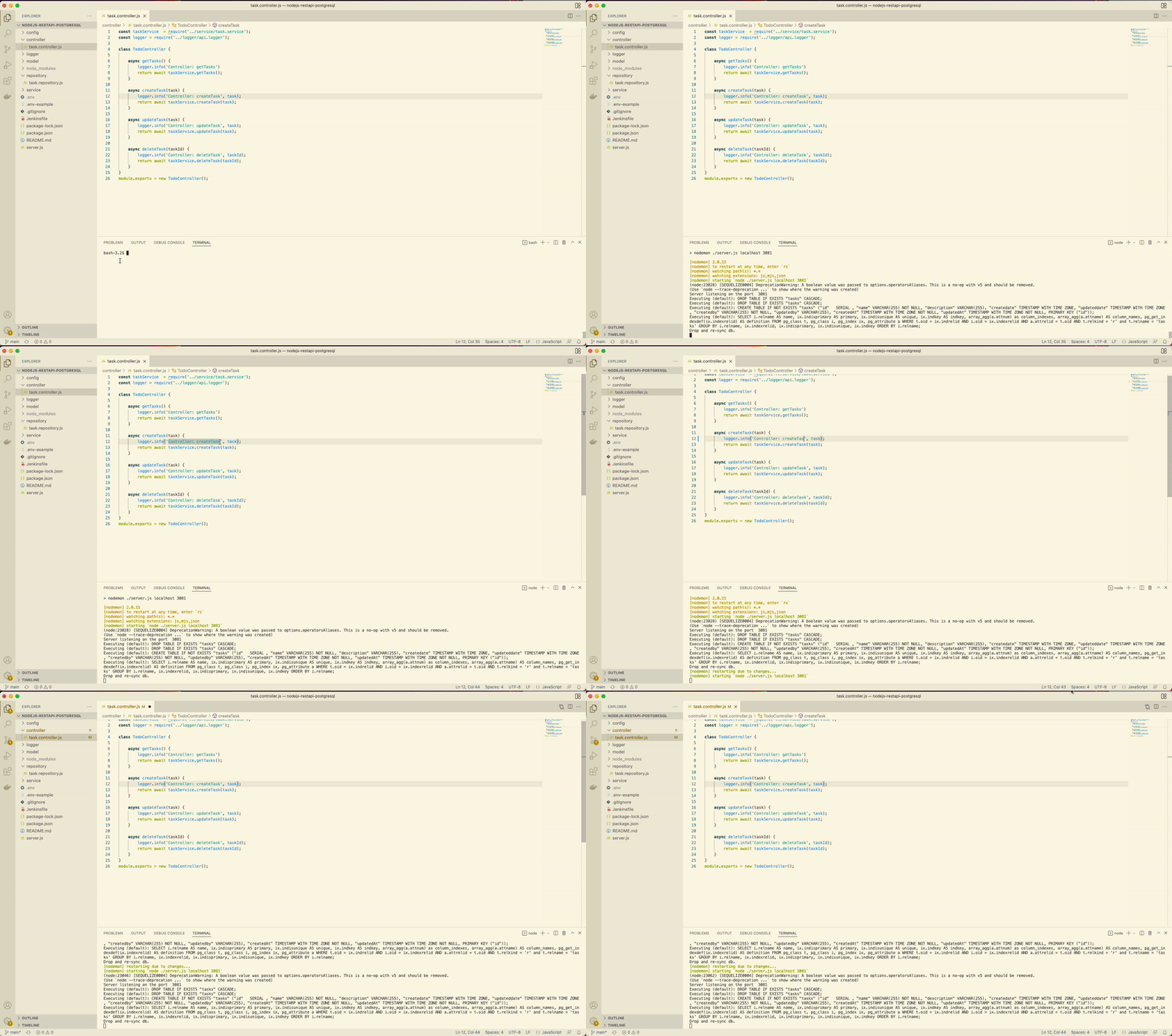
Project Structure
Let’s understand the project structure that we have here. The starting point of the application is server.js and we have all the scripts, dependencies, etc in the package.json.

We have a controller, service, and repository in place. All the logging-related configuration goes into api.logger.js under the folder logger. We have the .env file for all the environment-related configurations. We have swagger.json and swagger.css for the swagger docs. We have a db.config.js file for all the database configurations.
Install PostgreSQL on Local Machine
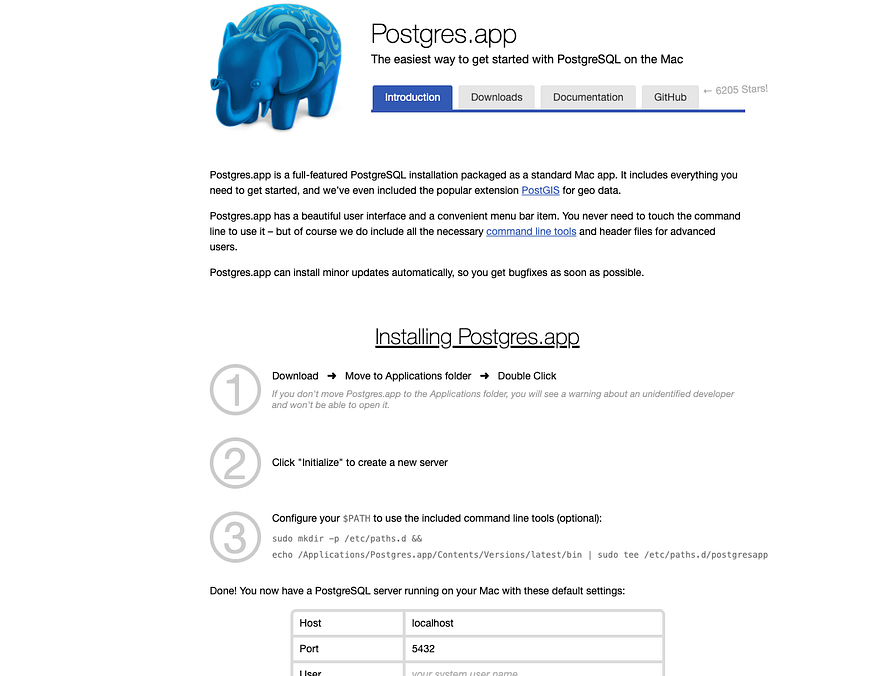
There are so many ways to install PostgreSQL on your local machine from the below link. The Postgres.app is the easiest and fastest one.
https://www.postgresql.org/download/macosx/You can click on the Postgres.app and download the app from that page.

You can go through the below installation steps and initialize the Database.
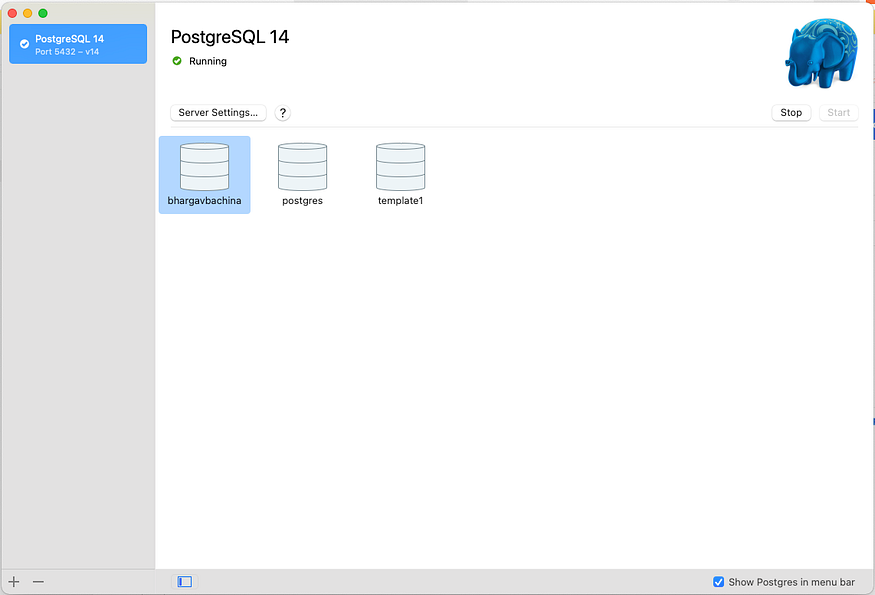
If everything is successful, you can see the below screen with the database named after the user name on the machine.
Install PGAdmin Tool
The pgAdmin tool is the open-source administration and development platform for PostgreSQL. You can install this tool from the following location.
https://www.pgadmin.org/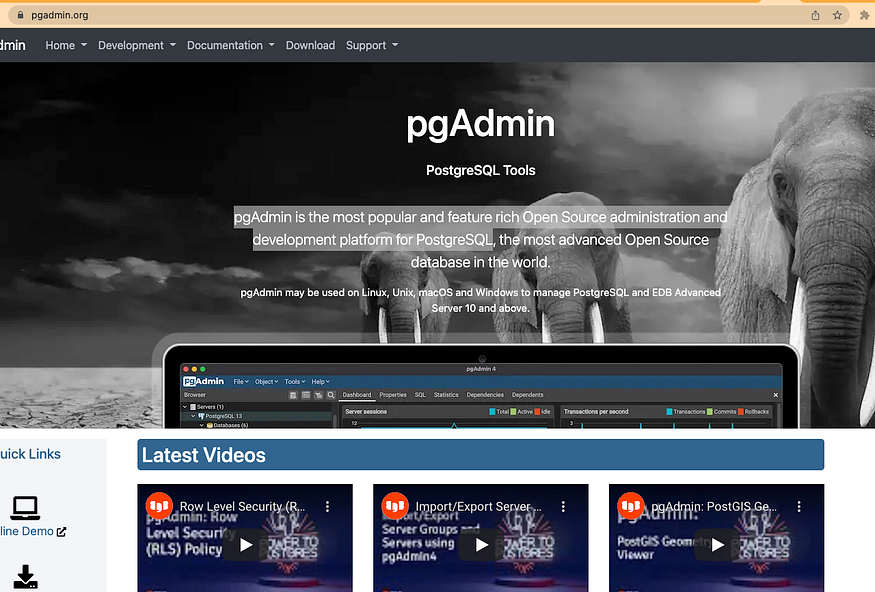
Once installed, you can open that and connect to the PostgreSQL server with the following credentials. It changes based on your user name folder.
// name of the server
name: local (You can name anything)// Hostname
host name: localhost// User Name
username: <user name based on the above postgres.app>

Let’s connect to the server by clicking on the register as below.
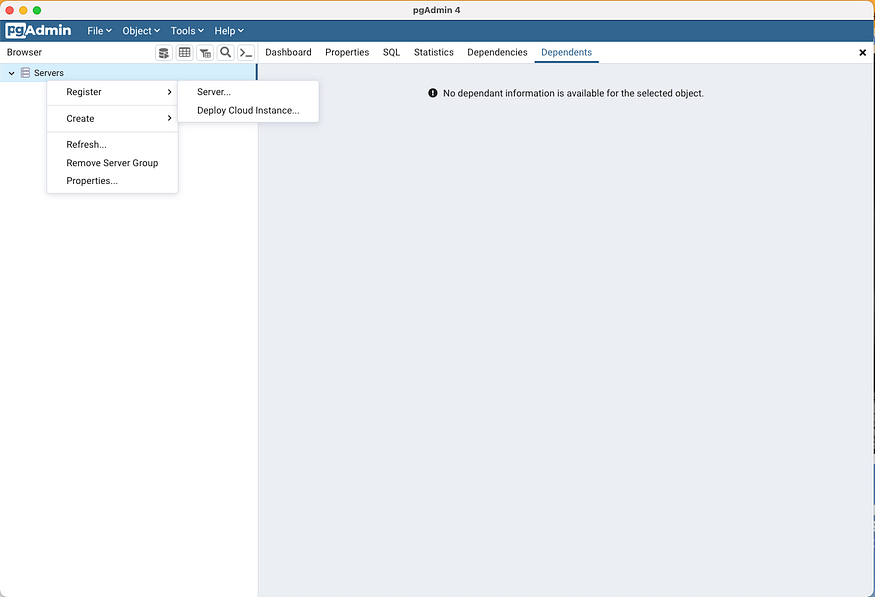
The server name can be anything that you give for your server such as local, dev, test, etc.

Let’s give all the details such as HostName, port, username, etc under the connection tab.

Once connected, you can see the details below.
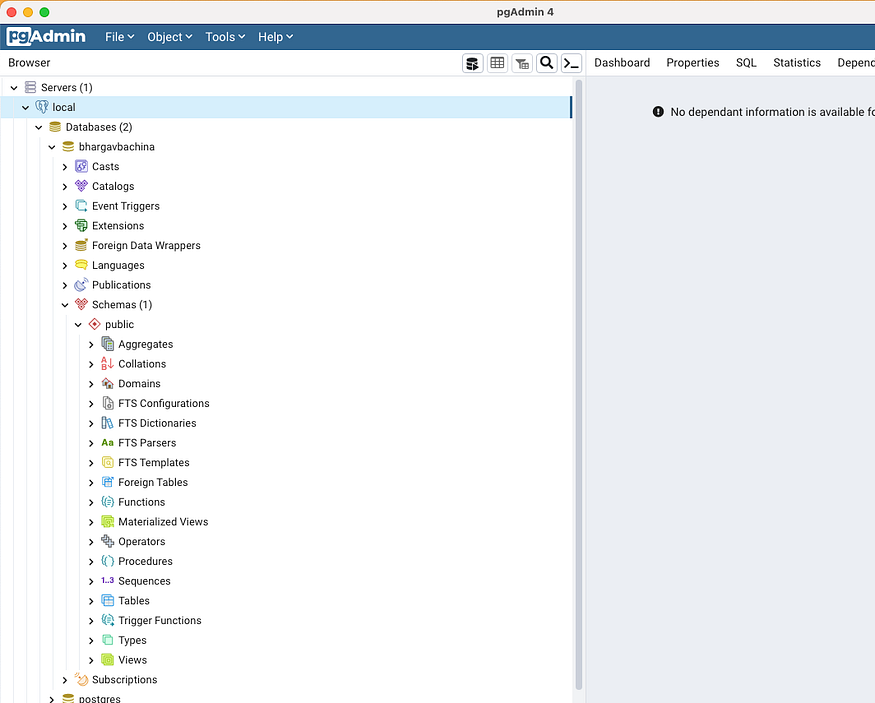
Create a Database Table
Let’s create a table by clicking on the Query Tool as below.
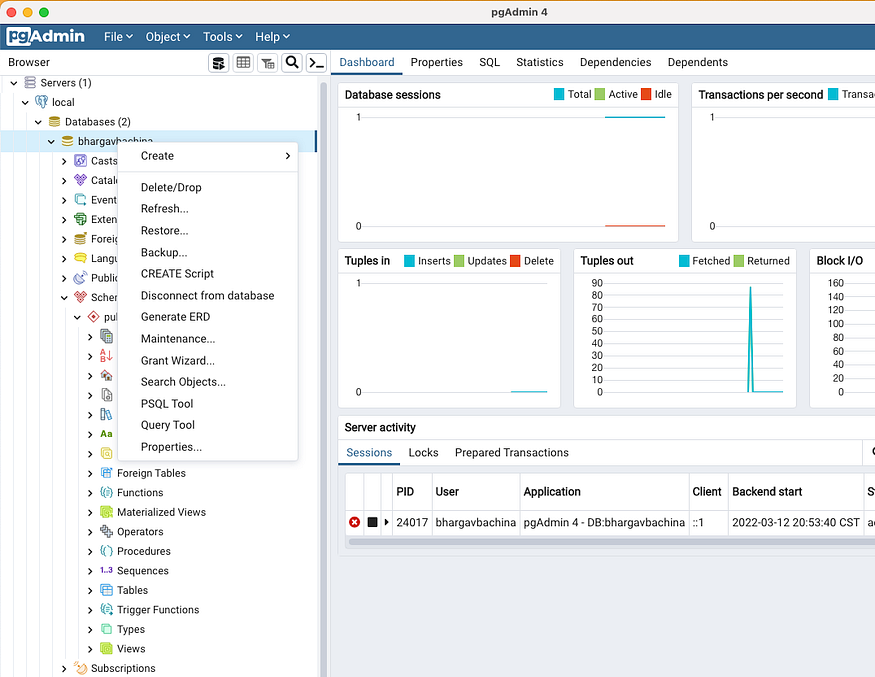
Let’s run the following query to create the database table.
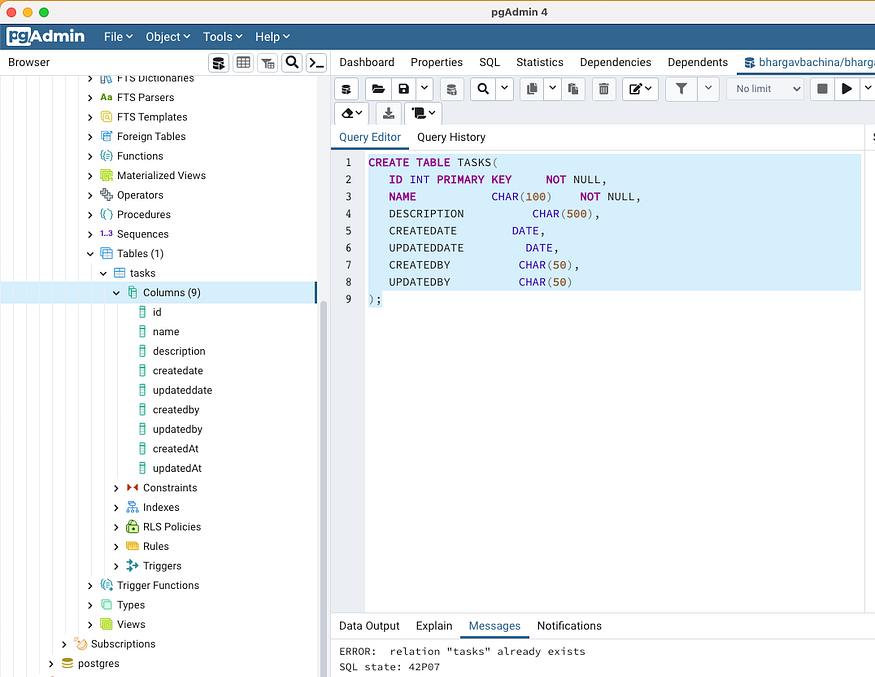
Configure PostgreSQL In Express App
Let’s configure the pg Client from our application. The first thing we need to do is to get the connection string or connection details. You can get it from the properties as below.
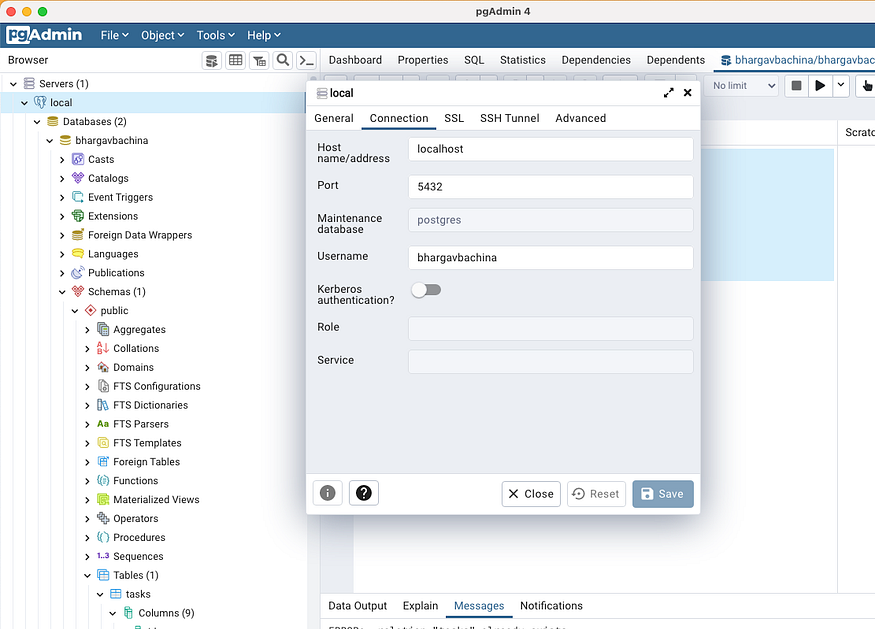
The next thing is to install the pg client with the following command.
// install client and sequelize
npm install pg
npm install sequelize// node-postgres home page
https://node-postgres.com/
Let’s place the connection string and database name in the application properties file as below. You have to URL encode the password if you have any special characters in the password.
We need to use the dotenv library for environment-specific things. Dotenv is a zero-dependency module that loads environment variables from a .env file into process.env. Storing configuration in the environment separate from code is based on The Twelve-Factor App methodology.
The first step is to install this library npm install dotenv and put the .env file at the root location of the project
We just need to put this line require('dotenv').config() as early as possible in the application code as in the server.js file.
Let’s define the configuration class where it creates a connection with the connection details from the properties. We are using pg client to connect with PostgreSQL for all the queries. This client makes it easy for you to interact with PostgreSQL. We are fetching the connection details with the dotenv library and connecting it to PostgreSQL with pg client. We are exposing one function from this file connect.
Sequelize is a promise-based NodeJS ORM tool for many relational databases such as Postgres, MYSQL, etc.
We need to define a model for our collection as below. We need to define the schema for the collection and then you need to pass that schema to the model and export it as a module.
Finally, Here is the repository class where it uses the above model for all the CRUD operations.
We have this service file in between the controller and repository for any data manipulation if needed.
With all the above files in place, we can hit the following URL.
http://localhost:3081/api/tasks
CRUD Operations
Let’s do some CRUD Operations.
Create Task
Create Task is the post-call that takes the request body and saves that into the todos collection.
URL: http://localhost:3081/api/taskRequest Body:{
  "task" :
    {
      "name": "asdassad",
      "description": "description 34 i sdescription!!",
      "createdby": "user"
    }
}

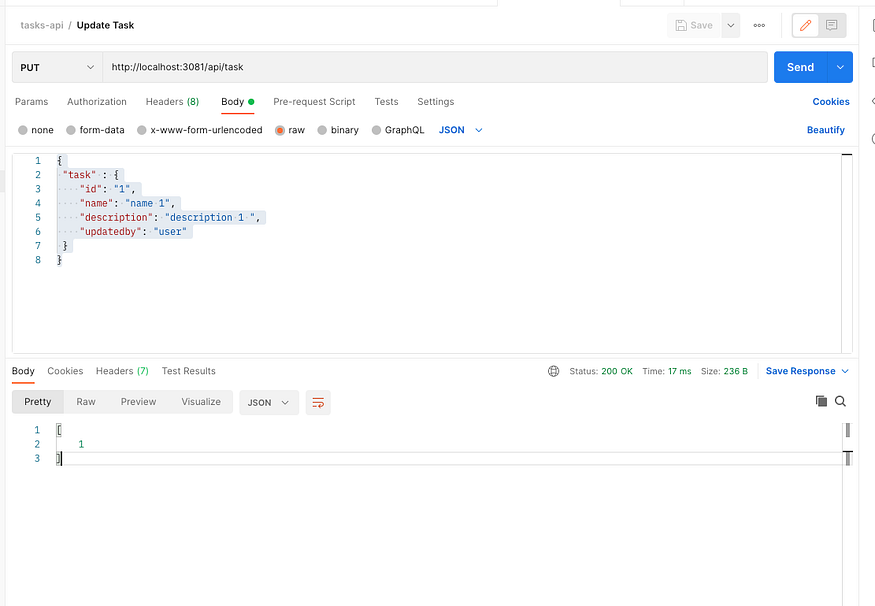
Update Task
Update Task is the put-call that takes the request body and updates that into the todos collection with the same id.
URL: http://localhost:3081/api/taskRequest Body:{
  "task" :
    {
       "id": "1",
       "name": "name 1",
       "description": "description 1 ",
       "updatedby": "user"
    }
}
Delete Task
Delete Task is the delete call that takes the id as a path variable and deletes it from the todos collection.
URL: http://localhost:3081/api/task/1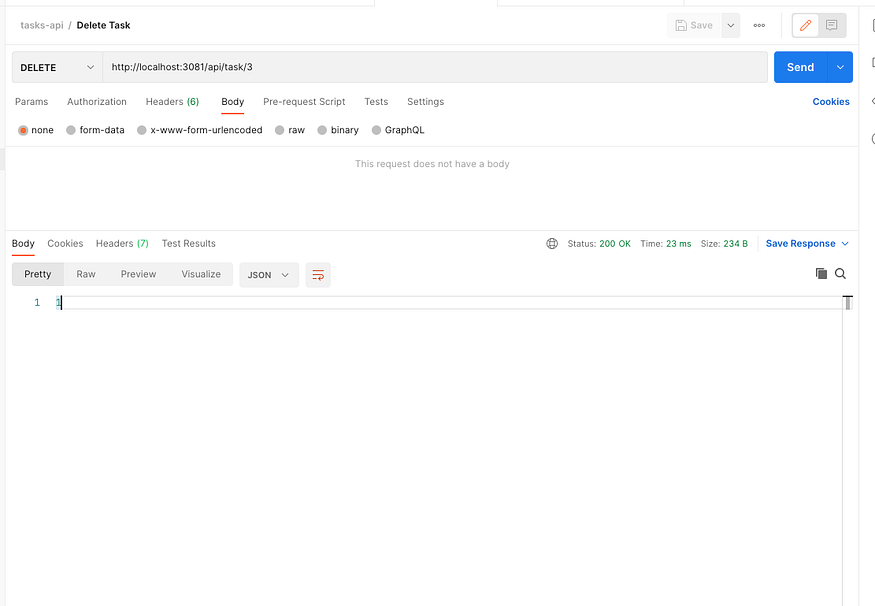
Get Tasks
Get Tasks is a simple GET URL that retrieves all the tasks from the todos collection.
URL: http://localhost:3081/api/tasks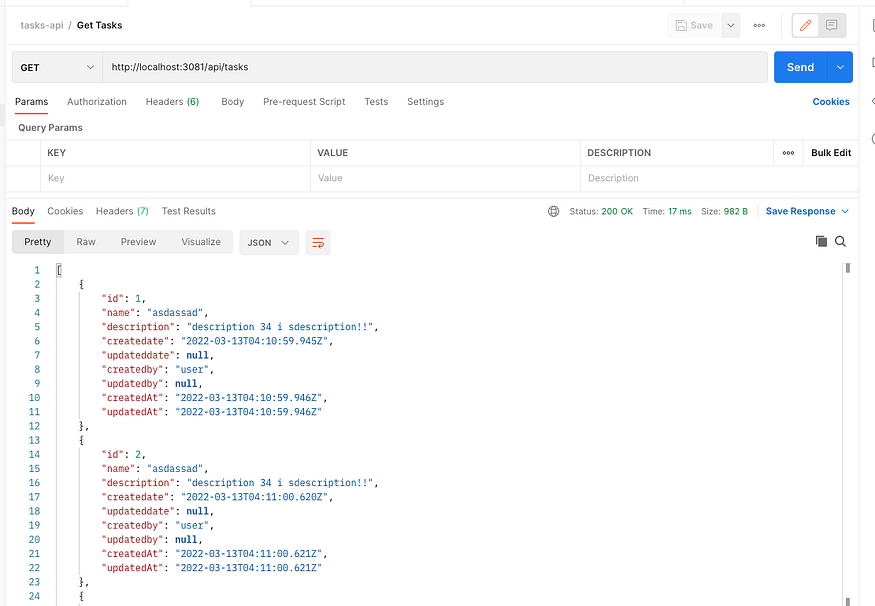
Logging
There are so many logger libraries and I used the pine library for the logging. It’s always best practice to have a separate file for logging and importing that file everywhere. You can configure and change the underlying logging library with one file change.
I have defined the following file.
You can import this in any file like below and use these methods.
Swagger
The Swagger is a tool that simplifies API documentation for the services. With Swagger, you can design your API and share it across teams very easily.
The first thing we need to do is to install swagger-related dependencies with the following command.
npm install swagger-ui-express swagger-jsdoc --saveThere are two things you need to understand before implementing swagger docs to your REST API.
Swagger.json
The first thing is to add the file swagger.json to define the operations. You can define schemas for the request and response objects, you can define in parameters and body and descriptions of each Http operation, etc.
Custom CSS
You can have your own custom CSS for your swagger docs Rest API. You need to define the swagger.css file where you can put all your CSS that can be applied to the Swagger page.
Once you have these files swagger.json and swagger.css in place, it’s time to add the swagger-related code in the server.js.
// import library and filesconst swaggerUi = require('swagger-ui-express');
const swaggerDocument = require('./swagger.json');
const customCss = fs.readFileSync((process.cwd()+"/swagger.css"), 'utf8');// let express to use this
app.use('/api-docs', swaggerUi.serve, swaggerUi.setup(swaggerDocument, {customCss}));
Here is the complete server.js file
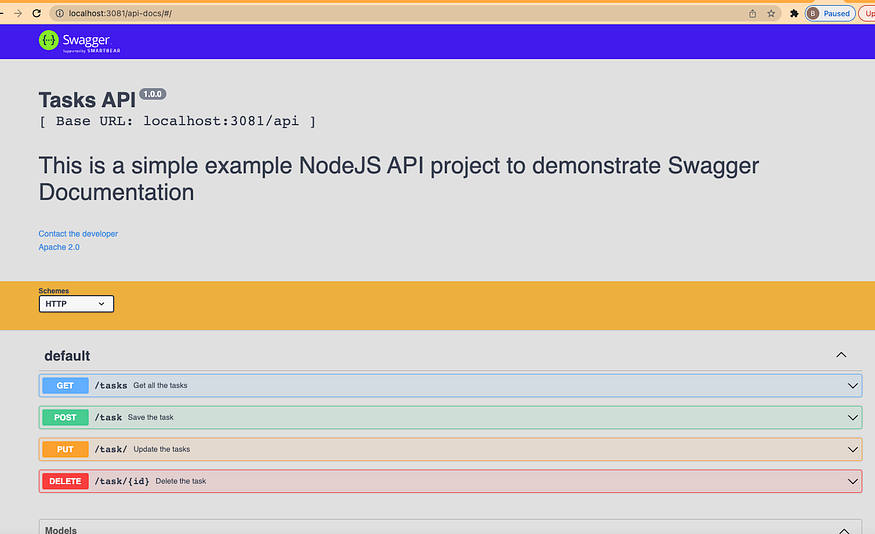
You can start the project in the development environment with the following command and access the
// start the project
npm run dev// Access the swaggger docs here
http://localhost:3081/api-docs/#/
Summary
- REST is an acronym for REpresentational State Transfer. Rest follows some guidelines to facilitate the communication between systems.
- You can get the connection string and configure the NodeJS application to talk to PostgreSQL with pg client, etc.
- The Swagger is a tool that simplifies API documentation for the services. With Swagger, you can design your API and share it across teams very easily.
- node-postgres: Non-blocking Postgresql Client for NodeJS
- PGAdmin: pgAdmin is an Open Source administration and development platform for PostgreSQL
- The Swagger is a tool that simplifies API documentation for the services. With Swagger, you can design your API and share it across teams very easily.
Conclusion
We have seen how to set up PostgreSQL and configure it in NodeJS API. In future posts, we will see how to Dockerize and put this API in the cloud and many more.
Nhận xét
Đăng nhận xét